AI Workflow Builder Template
Build powerful automation workflows with a visual drag-and-drop interface. Connect your favorite tools, automate repetitive tasks, and deploy to Vercel in one click.
Perfect for automating cold email outreach with Instantly.ai, lead enrichment, and more.
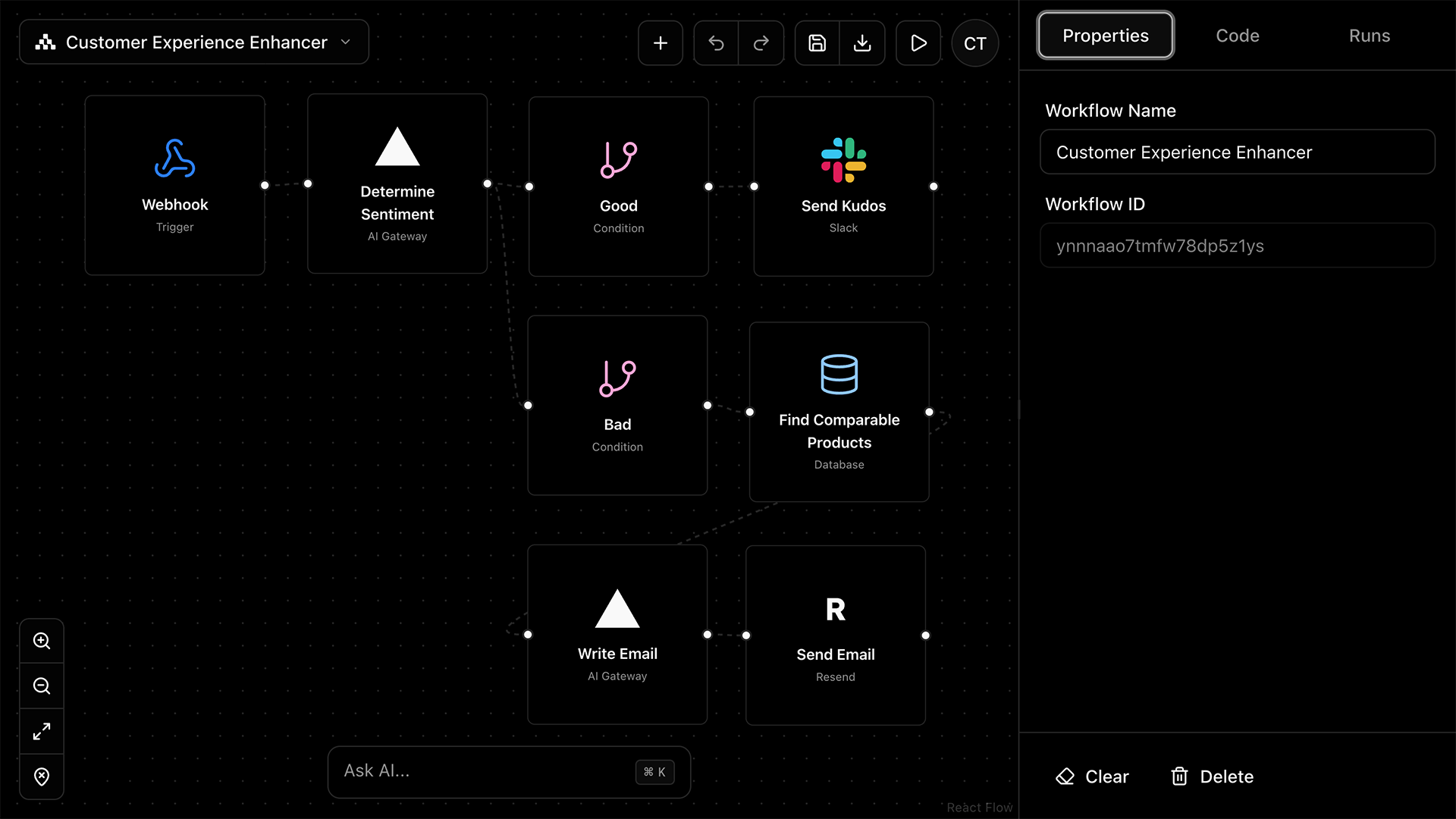
📧 Instantly.ai Integration for Cold Email
This fork includes built-in Instantly.ai integration that I developed and submitted to Vercel's official repository. While awaiting merge, you can start using Instantly.ai today with this template!
Example workflow: Webhook trigger → Create Lead → Add Lead to Campaign
What you can automate:
- →Create and manage leads in Instantly
- →Add leads to campaigns automatically
- →Update lead interest status based on responses
- →Activate/pause campaigns programmatically
- →Sync leads from other sources (webhooks, forms, etc.)
To connect Instantly: Add your Instantly.ai API key to your environment variables. You can find your API key in the Instantly dashboard under Settings → API.
🤔 What is This & Why Do I Need It?
Imagine having a visual dashboard where you can:
Link Instantly.ai, Slack, email services, and 20+ integrations
Build automations visually without writing code
Describe what you want and AI builds the workflow for you
Send leads to Instantly, enrich data, and trigger sequences
See logs of every workflow run with detailed execution history
Host it on Vercel for free and access from anywhere
Think of it like Zapier or Make.com, but you own it, it's free to host, and you have full control to customize it for your cold outbound operations.
💡 What Can I Build With This?
Automated Lead Enrichment → Instantly.ai
When a new lead comes in, automatically enrich their data (company info, LinkedIn, etc.) and push them to an Instantly.ai campaign.
Webhook to Email Sequence
Receive a webhook from your landing page form, process the lead, and automatically add them to a personalized email sequence.
Slack Notifications for Replies
Get instant Slack notifications when leads reply to your cold emails, with AI-generated response suggestions.
AI-Powered Lead Qualification
Use AI to analyze leads and automatically route high-quality prospects to your sales team while nurturing others.
🚀 Getting Started (Beginner-Friendly Guide)
Good news! There are two ways to set this up. Choose the one that fits your comfort level:
🟢 Easy Mode (5 minutes)
Deploy directly to Vercel with one click. No coding required.
🔵 Developer Mode (15-30 minutes)
Clone to your computer for full customization and local testing.
🟢 Option A: Deploy to Vercel (Easiest)
Click the Deploy Button
Go to the GitHub repository and click the "Deploy" button, or click here:
Deploy to Vercel Now💡 What is Vercel?
Vercel is a cloud platform that hosts your app for free. Think of it like putting your app on the internet so you can access it from anywhere. It automatically sets up everything for you.
Create a Vercel Account (if needed)
- a.If you don't have a Vercel account, click "Sign Up"
- b.You can sign up with your GitHub account (recommended) or email
- c.The free tier is more than enough for getting started
Configure Environment Variables
Vercel will ask you to fill in some settings. Here's what each one means:
DATABASE_URLVercel will automatically create a Neon database for you. This is filled automatically!
BETTER_AUTH_SECRETA random password to secure your login. Generate one at generate-secret.vercel.app/32
AI_GATEWAY_API_KEYYour OpenAI API key for AI features. Get one at platform.openai.com
Click Deploy!
That's it! Vercel will build and deploy your workflow builder. In about 2-3 minutes, you'll get a URL likeyour-project.vercel.app where your workflow builder lives.
🎉 Congratulations! You now have your own workflow automation platform running in the cloud!
🔵 Option B: Local Development (For Customization)
📋 Prerequisites
You'll need these installed on your computer:
- ✓Node.js 18+ - JavaScript runtime. Download Node.js
- ✓Git - Version control. Download Git
- ✓pnpm - Package manager (like npm but faster). Install with:
npm install -g pnpm - ✓Cursor IDE (Recommended) - AI-powered code editor. Download Cursor
Clone the Repository
💡 What is "cloning"?
Cloning downloads a copy of the project from GitHub to your computer. You'll have all the files locally and can make changes.
Open your terminal (or Cursor's terminal) and run:
# Navigate to where you want the project
cd ~/Documents

# Clone the repository
git clone https://github.com/bcharleson/workflow-builder-template.git

# Enter the project folder
cd workflow-builder-templateInstall Dependencies
This downloads all the packages the project needs:
# Install all required packages
pnpm install
This might take a minute or two. You'll see a progress bar.
Set Up Your Environment
Create a file called .env.local with your settings:
# Database (use a local PostgreSQL or Neon.tech for free)
DATABASE_URL=postgresql://user:password@localhost:5432/workflow_builder

# Auth secret (generate a random string)
BETTER_AUTH_SECRET=your-random-secret-here
BETTER_AUTH_URL=http://localhost:3000

# OpenAI API key for AI features
AI_GATEWAY_API_KEY=sk-your-openai-keySet Up the Database
Push the database schema to create all necessary tables:
# Create the database tables
pnpm db:pushStart the Development Server!
# Start the app
pnpm dev
Open http://localhost:3000 in your browser. You should see the workflow builder!
🎉 You're running locally! Any changes you make to the code will automatically refresh in the browser.
Need Help Setting This Up?
We help companies build and scale their cold outbound operations with custom automations. If you want hands-on help setting up your workflow builder or building custom integrations, let's talk.
Free 30-minute strategy call • No obligation