
Unofficial · Free · Open source
Grok for Mac
Grok, X, and a real coding agent — one native Mac app.
Skip the browser tabs. Chat with SpaceXAI's models, open grok.com natively, and run the official Grok CLI coding agent in your project folders — all from a notarized macOS app that lives one hotkey away.
Version 1.0.93 · macOS 13+ · Universal (Apple Silicon & Intel) · ~4.6 MB
Highlight · Grok Build
The official Grok coding agent, in a Mac workspace.
Build wraps SpaceXAI's Grok CLI — the same agent you run in the terminal — inside a native workspace. Open a folder, work in the TUI, then use Review, Files, Browser, and a real side Terminal without leaving the app.
Official CLI
Real Grok Build agent in your project directory — not a browser sandbox.
Project sidebar
Switch folders, keep context, and pick up where you left off.
Side Terminal
Run git, tests, and builds next to the agent in a real shell.
Sign in with your Grok / SpaceXAI account through the CLI · Works on local project folders · Ships with Sparkle auto-updates
Five modes. One window.
Switch with a click or your global hotkey — X, Chat, Grok, Build, and Grokipedia stay in the same native shell.
X
Browse and search X without leaving the app.
Chat
Quick answers and brainstorming in a native window.
Grok
Full grok.com — models, voice, and the latest features.
Build
Official Grok CLI agent in your project folder.
Grokipedia
Look up knowledge without opening another tab.
Built for the Mac, not a browser tab
One keystroke away
Global hotkey summons Grok from any app.
Menu bar ready
Stays out of the way until you need it.
Apple notarized
Install like any trusted Mac app — no Gatekeeper workarounds.
Auto-updates
Sparkle delivers new builds quietly in the background.
See it in action
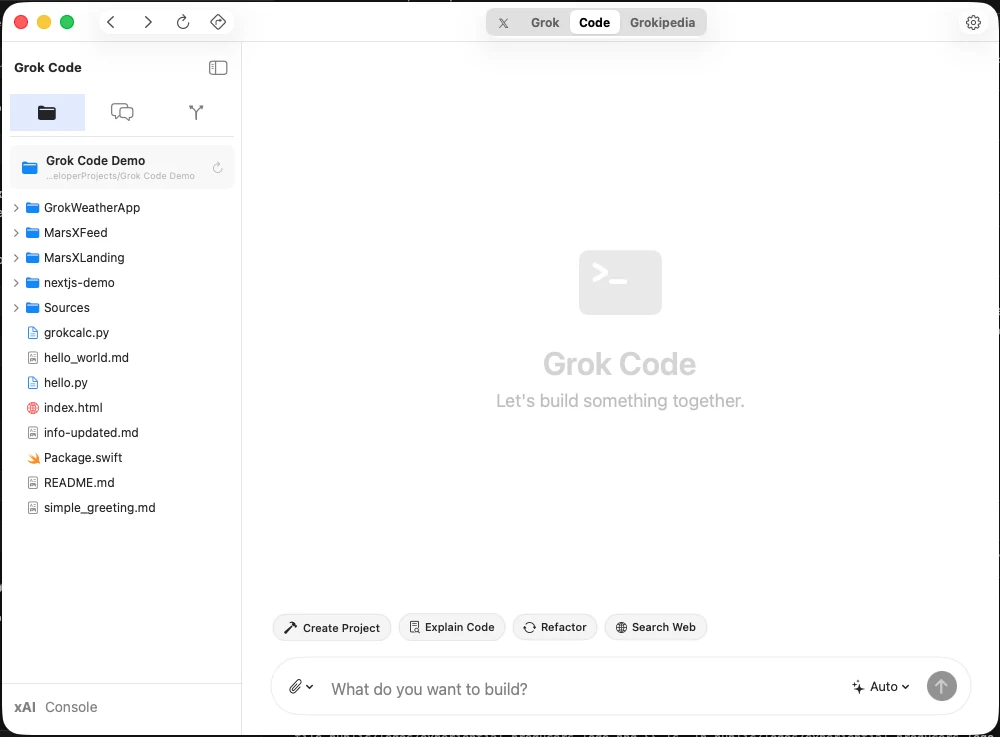
Grok Build
Official Grok CLI in a native workspace — projects, Review, Files, Browser, and a real side Terminal.
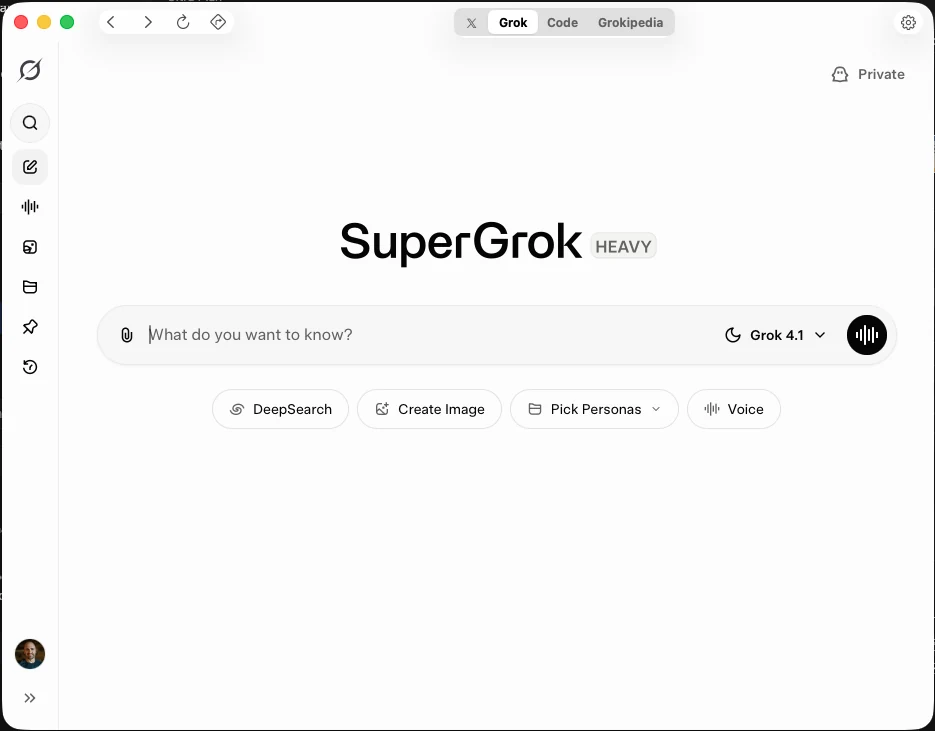
Grok
The full grok.com experience in a dedicated Mac window — not another browser tab.
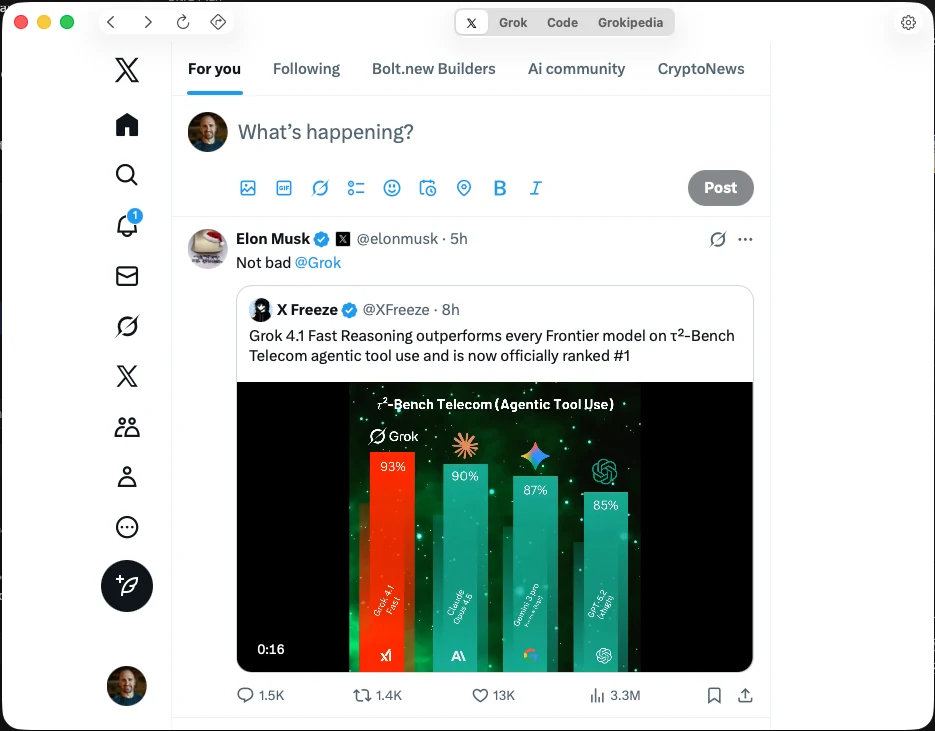
X
Stay close to live posts and conversations without context-switching.
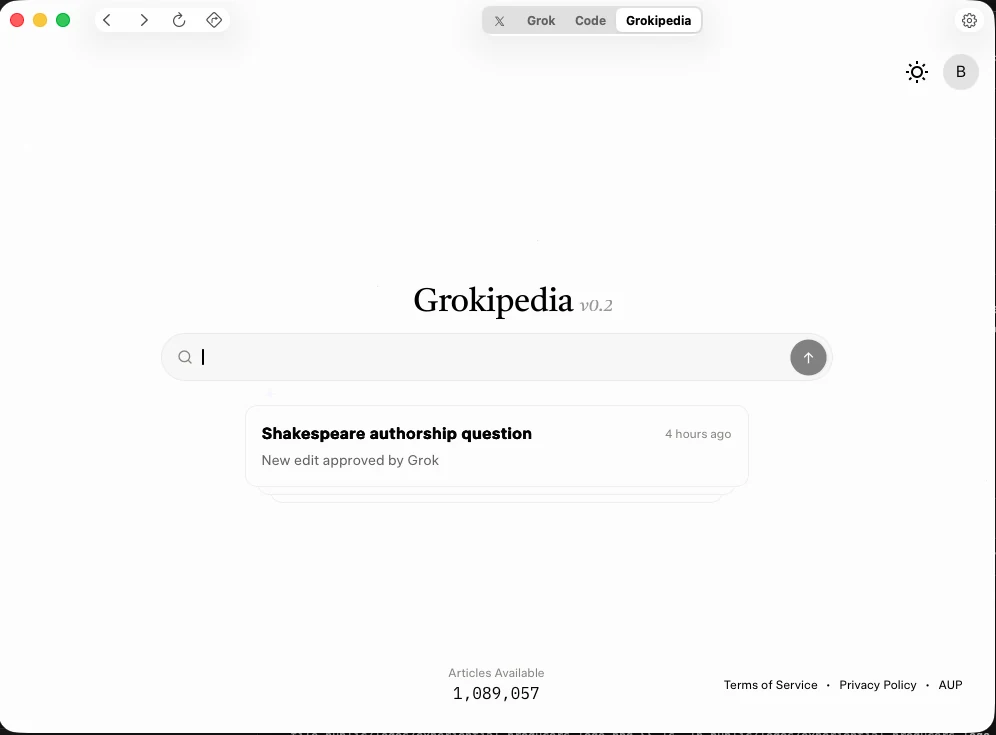
Grokipedia
Research and knowledge lookup that lives next to Chat and Build.
Install in a minute
Apple notarized. Drag to Applications and launch.
1
Download
2
Drag to Applications
3
Launch
Requires macOS 13.0 or later
A labor of love to make SpaceXAI's models feel at home on macOS. Free, open source, and updated often — use Feedback in the app to shape what ships next.